
Help · Publish and share
Publish your invitation
Building and previewing your invitation is free. When you're ready to send it, you publish it with one payment of €79 (tax included). You pay once, with nothing to pay again later.
1. Start publishing.
On Overview, click the checklist step Publish & send invitations. You can also use the live switch in Configuration.
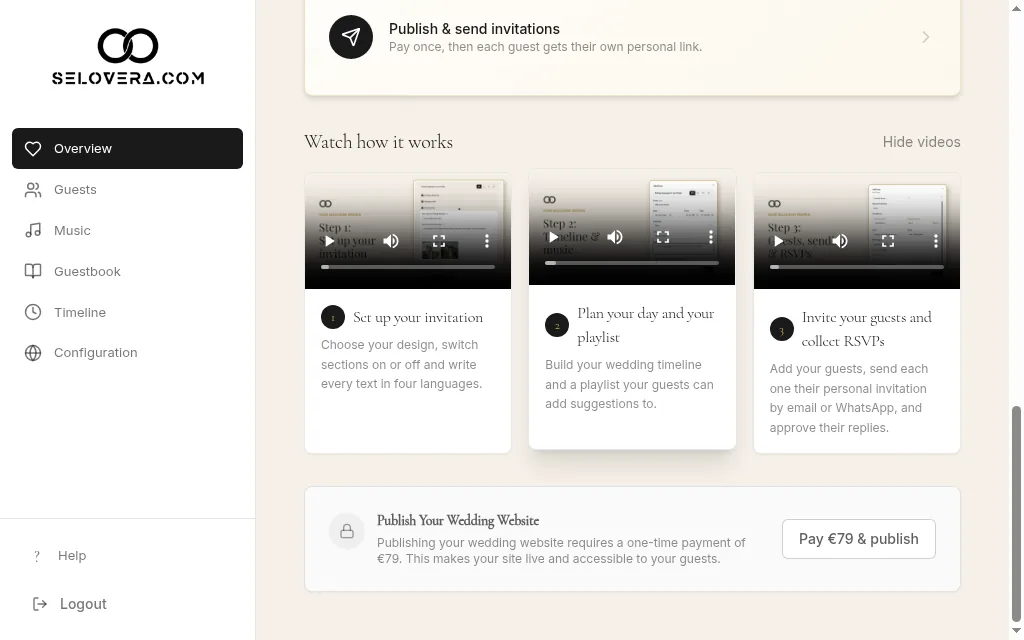
Checklist publish step 2. Read the publish dialog.
Publish Your Wedding Website explains the one-time fee. If some example photos or texts are still in place, it lists them. You can publish anyway and replace them later.
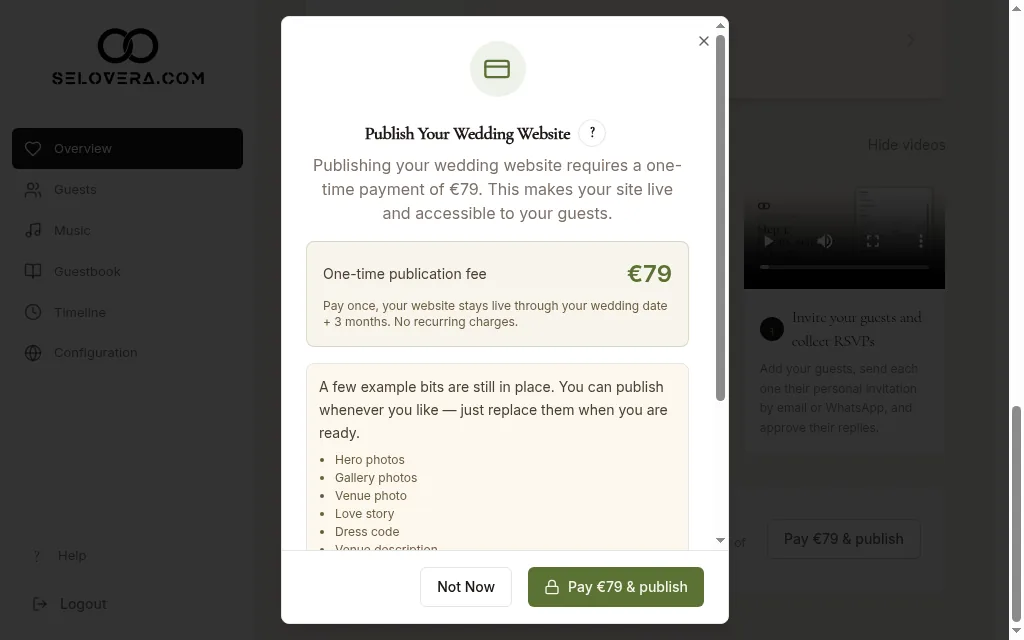
Publish your wedding website dialog 3. Pay.
Click Pay €79 & publish and pay on the secure payment page. Not ready yet? Click Not Now.
4. You're live.
After payment you'll see "Payment successful! Your wedding website is now live." and your site status changes to Live.
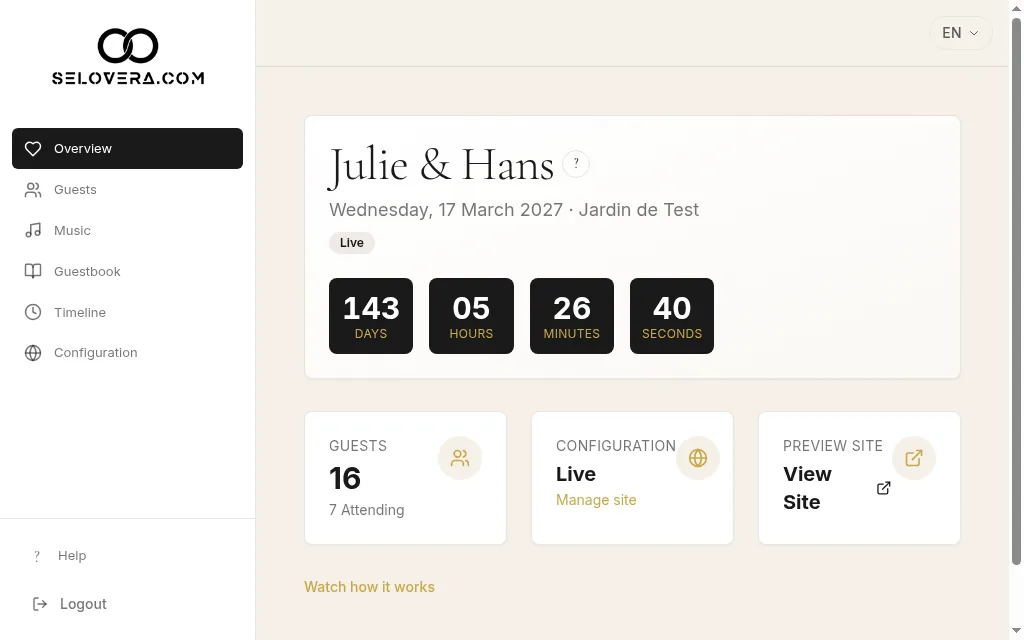
Overview with the Live badge 5. Send your invitations.
Each guest's personal link and the sending buttons are now on the Guests page. See the guides on sending by email and by WhatsApp.
Tips
- Your invitation stays live until your wedding date + 3 months, with no recurring charges.
- Once published, guests never see example photos or texts.
- Need to take the site offline for a while? Use the live switch in Configuration. It acts straight away, and going live again costs nothing.
- If you cancel the payment, you'll see "Payment was cancelled. Your website is not published yet." You can publish whenever you're ready.
Related guides
Open this page in your dashboard
Still stuck?
Write to us at info@selovera.com or use the Contact Support form, and we'll gladly help.