
Help · Your invitation site
Preview your invitation
Before you publish, look at your invitation through your guests' eyes. You can preview it as often as you like, for free.
1. Open the preview.
Click Preview invitation site in Configuration, or Preview Site on Overview.
2. Look around.
The preview opens in a new tab, exactly as your guests will see it. The bar at the top reads "Preview mode — this is what your guests will see once published." Until you publish, it also has a Pay €79 & publish button.
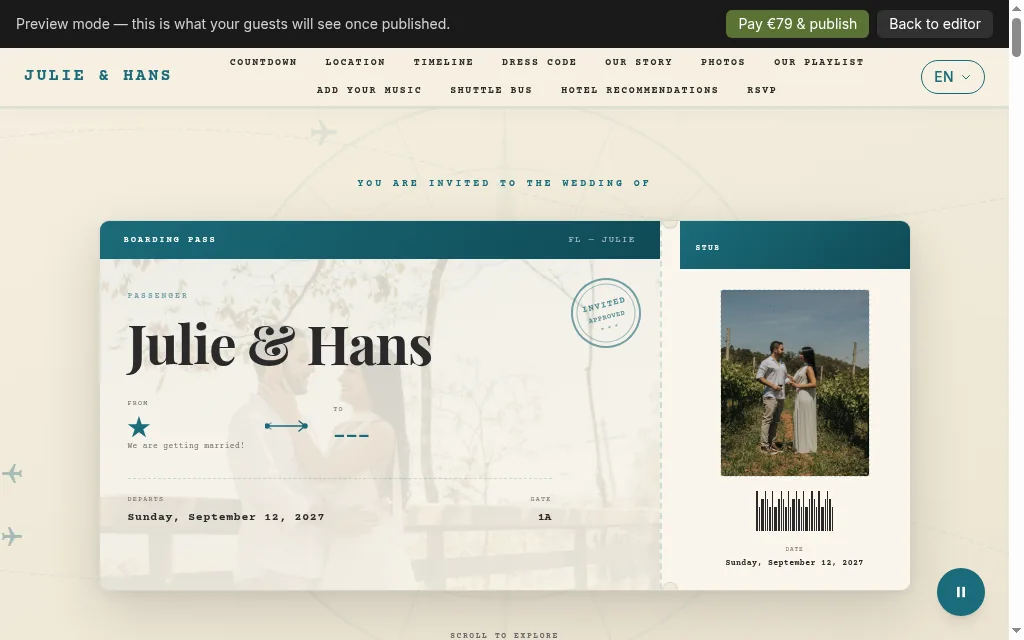
Preview with the preview bar: Pay €79 and publish, Back to editor 3. Check it on a phone too.
Log in to your dashboard on your phone and open the preview there, or make your browser window narrow.
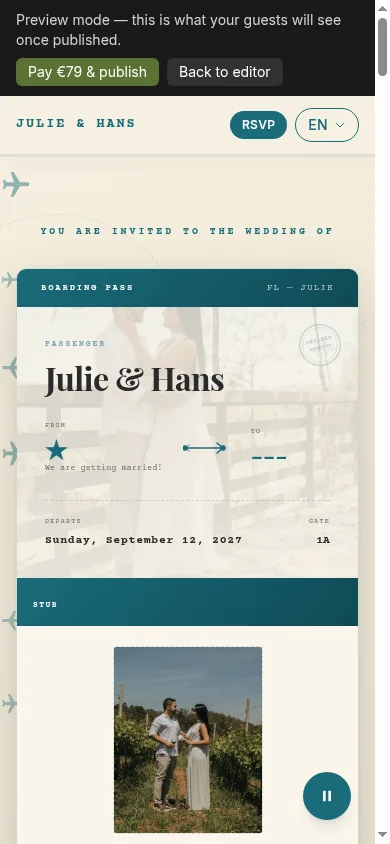
Preview on a phone 4. Go back and adjust.
Click Back to editor, make your changes, and click Save Website Settings. Unsaved changes don't show in the preview.
Tips
- Opening the preview ticks Preview the guest view in your checklist.
- Before you publish, the preview still shows any example photos and texts you haven't replaced. Once you publish, guests never see example content.
- Nothing reaches your guests until you publish and send your invitations.
Related guides
Open this page in your dashboard
Still stuck?
Write to us at info@selovera.com or use the Contact Support form, and we'll gladly help.