
Help · Your day and music
Build your playlist and review song suggestions
Build the soundtrack of your day on the Music page, and let your guests suggest songs right from their invitation.
1. Open Music.
In the sidebar, click Music. You'll see two blocks: Songs (your playlist) and Guest Song Suggestions.
2. Add a song.
Click Add Song, fill in Song Title, Artist Name and, if you like, Link (optional) (for example a Spotify link), then click Add. It's saved straight away.
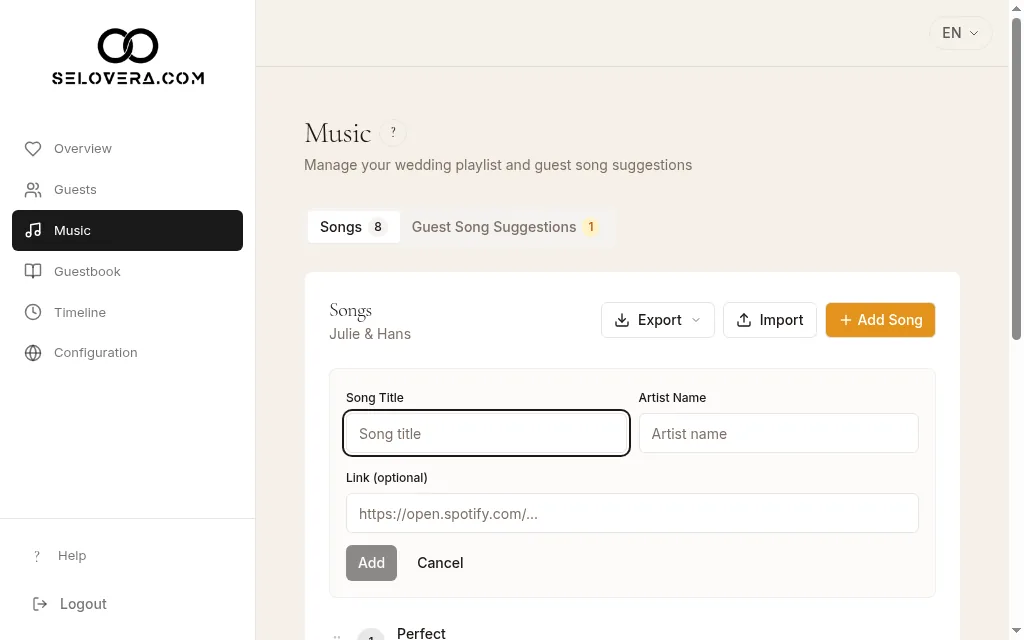
Playlist with the Add song form 3. Arrange your playlist.
Drag a song by its handle to change the order. To edit a song, click the pencil and confirm with the tick. Both save straight away.
4. Import or export a list.
Use Import to add many songs at once from a .xlsx or .csv file (a template is available), or Export to save your playlist.
5. Review your guests' suggestions.
Under Guest Song Suggestions, click Add to playlist to add a song to the end of your playlist, or Discard to set it aside. Changed your mind? Click Restore.
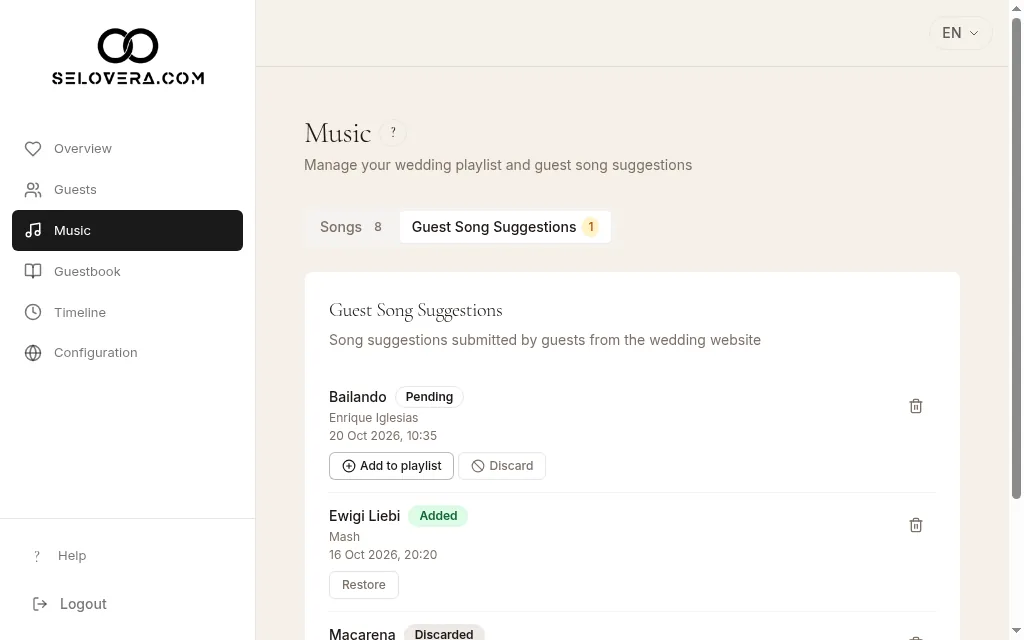
Guest suggestions with Add to playlist and Discard
Tips
- Guests can only suggest songs if the Add your music section is switched on in Configuration › Content.
- Deleting a song or a suggestion asks you to confirm first.
- With the email notifications on (they are by default), you get a summary every morning at 9:00 (Madrid time) on days new suggestions come in.
Related guides
Open this page in your dashboard
Still stuck?
Write to us at info@selovera.com or use the Contact Support form, and we'll gladly help.