
Help · Guests and RSVP
Invite your guests via WhatsApp
Prefer WhatsApp? Write your message once, then send it to each guest with their own personal invitation link, straight from your guest list.
1. Write your WhatsApp message.
Go to Configuration › Sending. Under Sending Configuration, pick a language with the EN/ES/FR/DE switcher and write the text in the WhatsApp Message card. Do this for each of your languages. Use the same placeholders as for email, such as `{name}` and `{link}`.
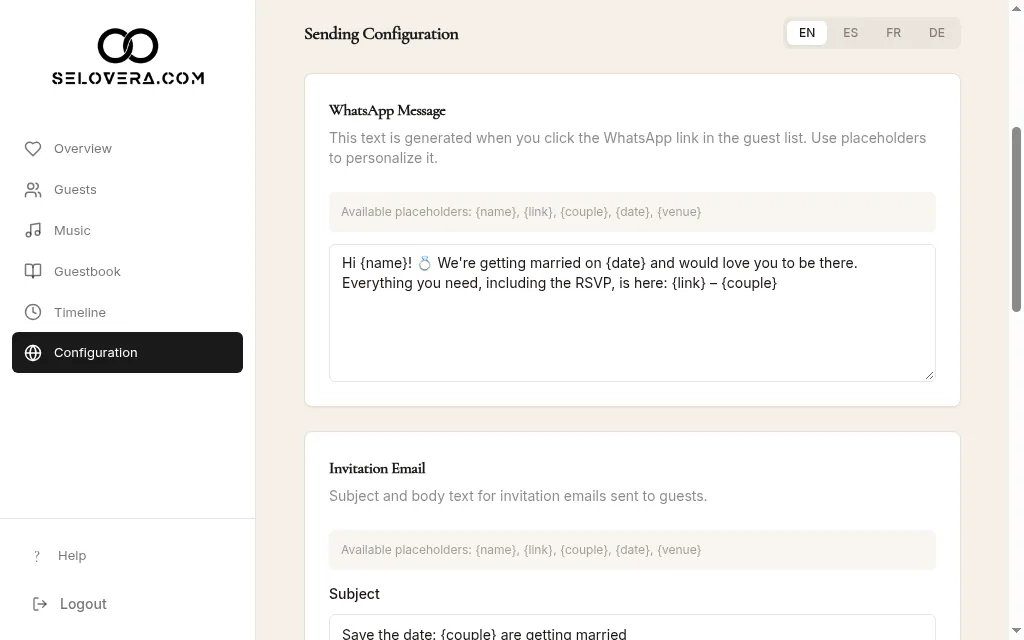
Sending tab, WhatsApp message 2. Save.
Click Save Website Settings at the bottom of the page.
3. Open WhatsApp for a guest.
On Guests, click the WhatsApp icon (Invite via WhatsApp) next to the guest. WhatsApp opens with your message, their name and their personal link filled in.
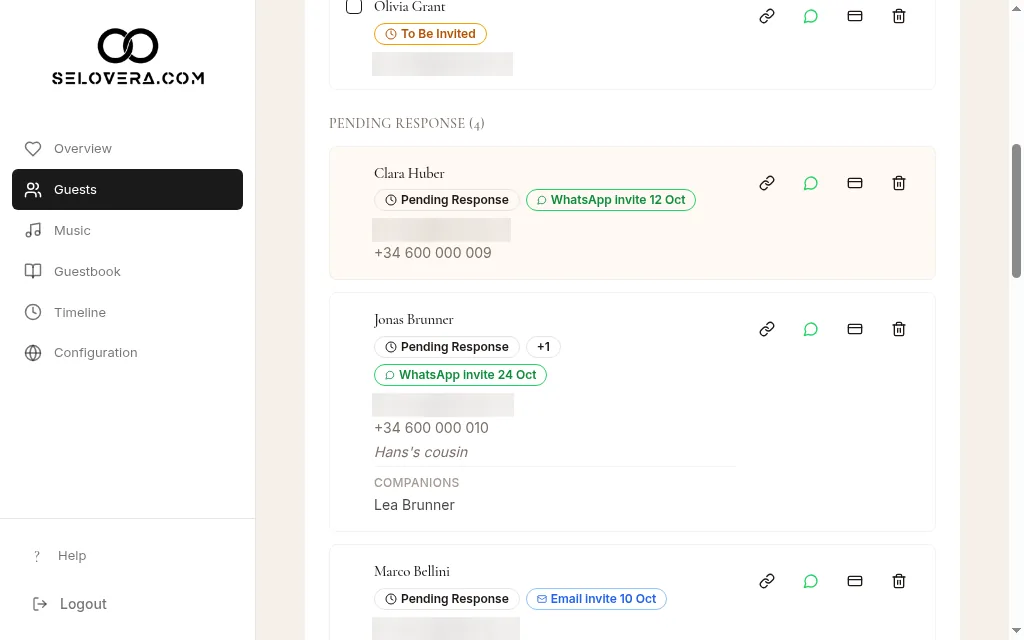
Guest row with WhatsApp and copy-link icons 4. Send it.
Check the message and send it from your phone or computer. As soon as you click the icon, the guest moves from To Be Invited to Pending Response, so make sure you really send it.
5. Or copy the link.
Click Copy invite link to copy the guest's personal link ("Link copied") and paste it anywhere you like.
Tips
- If the guest has a phone number in your list, WhatsApp opens their chat directly. Without one, WhatsApp opens and you pick the contact yourself.
- The message is sent in the guest's Invitation Language.
- The WhatsApp and copy-link buttons appear once you've paid the €79 to publish your invitation.
Related guides
Open this page in your dashboard
Still stuck?
Write to us at info@selovera.com or use the Contact Support form, and we'll gladly help.